
One report for the whole year
2026 career year: role, months, and the work calendar
From the year overview to each month and the work calendar, see when to move and when to slow down.
The 2027 edition is being prepared. Thank you for your interest.

How this career year is read
This year's role, month by month
Five parts, from the year down to the day
The overview gives this year's grade, then whether work runs smoothly, a change fits, a crisis is heavy, blockage is frequent, and whether help shows up.
After that come the close reading, each work month, the work calendar, and what to use. Feelings and income are not expanded here.
Five parts
Open the part you need
The five parts stay in this order. Switch below to see what each one does.

Year overview
See the year first, then smooth work, a change, crisis, blockage, and whether help shows up.
- Only the overview uses A to E for the whole year.
- The twelve months use A+ to C, and mark the highest and lowest months.
- If you are not in work, start with the card about getting a role.
Work calendar
Which day can take a talk, and which day should stay still
The calendar turns by solar-term month. Open a day and you only get the clearest thing about that day.
What fits this day?
The side column names one thing that fits, and why.
What should you not do?
The same day also names one thing to avoid, such as not discussing rank or signing that day.
Which days are the strong work days?
Flagged days are the strong work days, with the hours written out.
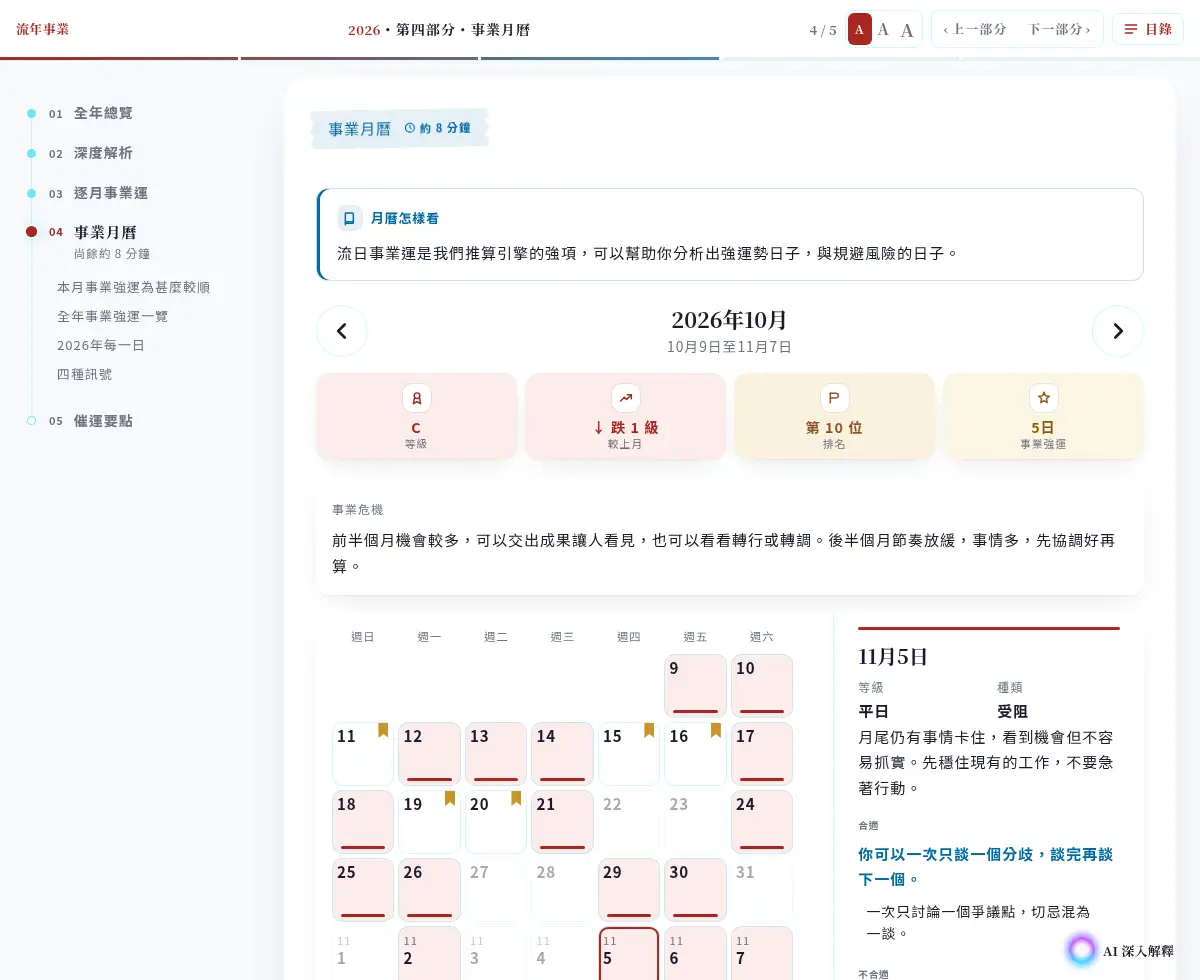
Open a day and the judgment is there
The header shows where this solar-term span starts and ends. Only one month is on screen.
- The month line shows the grade, the change from last month, the rank, and strong work days.
- A cell keeps only its color and the date.
- One line for what fits, and one line for what does not.
- Under the calendar, every day of the year is a color cell.
Questions in the report
After reading, ask about this year's work
When the report is ready you can ask again. Keep the question on this career report, such as which month fits a talk about terms.
Answers use the months already set
Months and grades come from the calculation. The answer checks this book and does not start another one.
It answers the sentence you asked
The tone is a consultation. It answers the one work question you asked.
It does not paste the report back
It speaks in its own words. The written report is only there to check against.

What stands out
Three things to keep first
The year starts with a grade
The overview uses A to E. The twelve months use A+ to C.
Strong days sit on the calendar
Strong work days are flagged. Open one to see what fits and what does not.
The last part names what you can do
People, direction, and objects are written as something you can use this year.
A look at the pages
Four screens from the report. The order matches the book.
Year overview
The cover gives this year's judgment, then the twelve months.
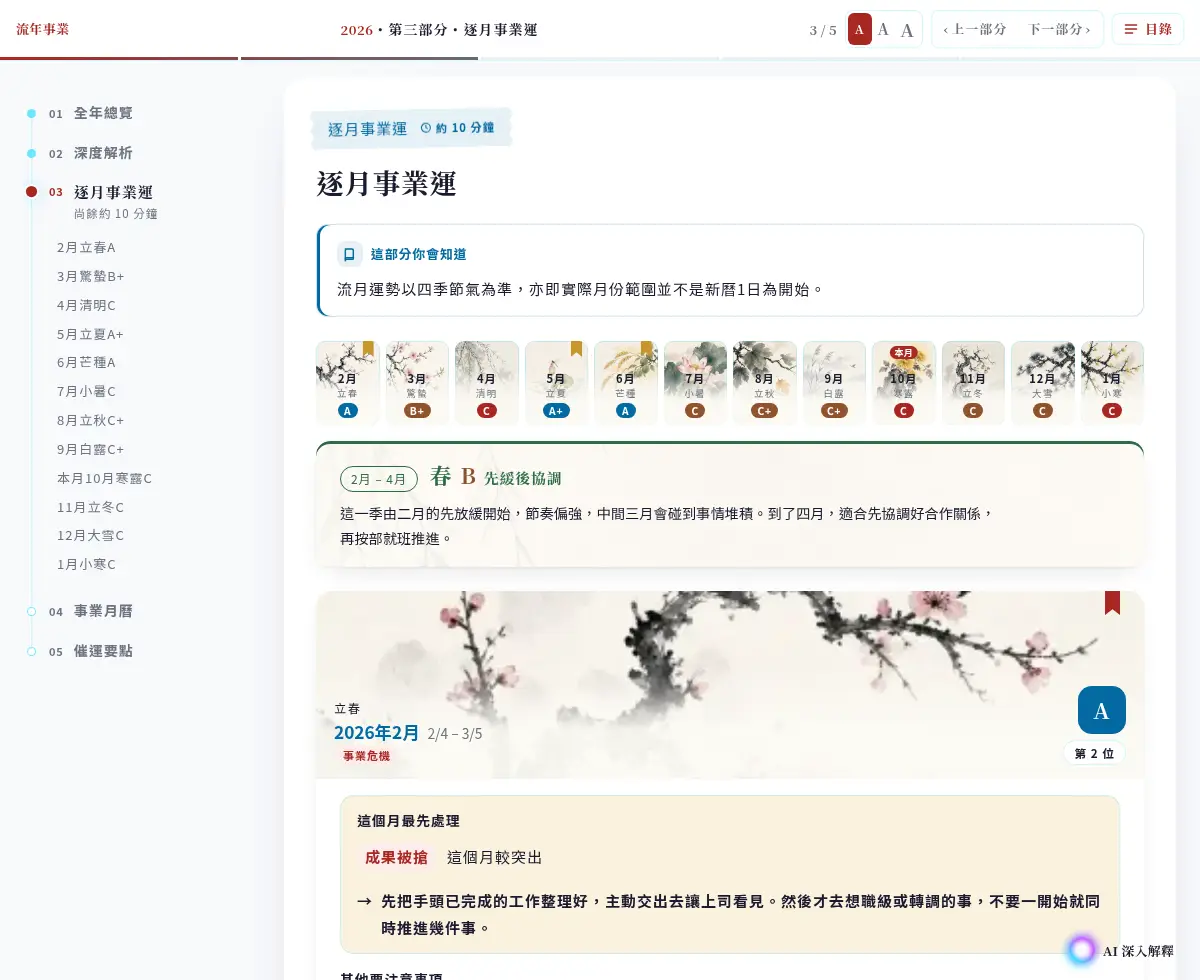
Month by month
One band per season. The card names what to handle first.
Work calendar
One month at a time. Flagged days are the strong work days.

What to use
People, direction, and objects are written as something you can use this year.
Who it is for
* Please check My Account to view purchased reports.
* Please check My Account to view purchased reports.
The 2027 edition is being prepared. Thank you for your interest.
Questions
Career year report FAQ
How is this different from an income report?
What are the parts?
Do I need the birth hour?
How do I read it after buying?
Can I buy it for someone else?
See your career year
This report is being updated. A report you already bought can be opened in your account.
The 2027 edition is being prepared. Thank you for your interest.